
MBEstudio · SysML v2 studio
Design a system. Check how it works.
MBEstudio is a browser workspace for designing engineering systems. Build a 3D model, connect its parts, and check requirements and behavior in one place. Start with an aircraft or vehicle example, or describe a system to the AI agent.
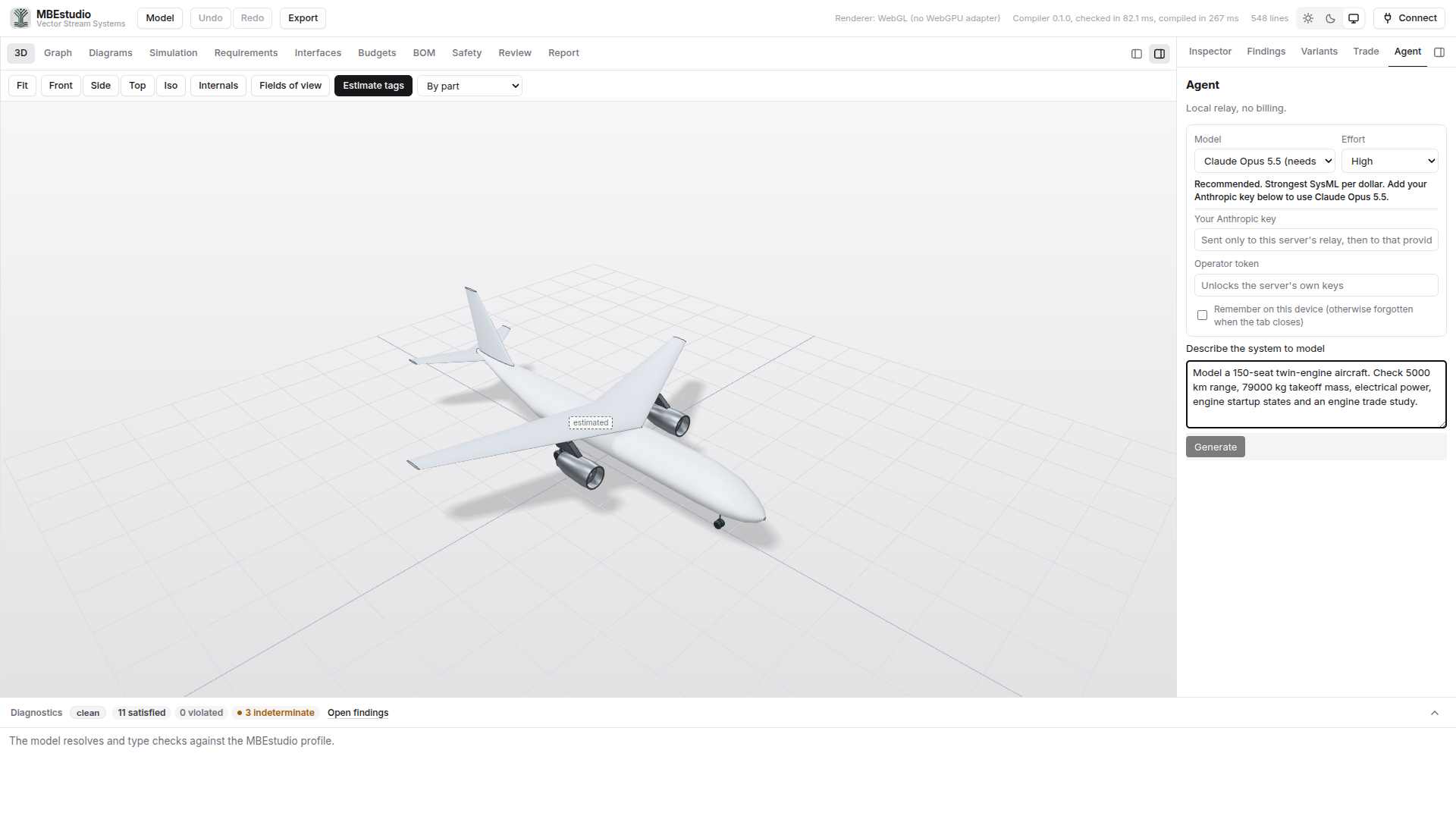
The live studio is built for a desktop browser and a mouse. On a phone, this screenshot previews the midsize aircraft. Open this page on a laptop or desktop to orbit the aircraft and explore its systems.
MBEstudio is under active development and is updated intermittently, so you may occasionally run into an issue. For problems or support, email streamline@vectorstreamsystems.com.
For the engineers using AI agents
Put systems engineering practice in your agent's workflow
The MBEstudio Systems Engineering Skill Pack gives your agent ten skills for requirements, safety, traceability, verification and MBEstudio operation. Five work on your own files; five integrations target the earlier MBEstudio tool API. Review compatibility with the current native Studio before using those integrations.
One SysML v2 model
Parts, ports, connections, equations and requirements are declared in the source. The 3D view, internal block diagram and engineering tables show different views of that model.
Requirements across operating states
Execute the declared state machines and inspect requirement results over time. See the measured value, limit, margin and intervals where a requirement applies.
Trade alternatives in the model
Sweep declared design variables and alternatives against the same objectives and constraints. Inspect a candidate, show it in 3D, and apply the selected design to the source.
Private beta
MBEstudio is in private beta
Access, deployment and programme support are arranged directly. Tell us what you are building.
The engineering gap
A connected requirement still needs evidence
A link cannot establish satisfaction
A requirement can be traced to a component while the design exceeds its limit. Engineers need the calculated value, the limit and the margin, tied to the inputs that produced them.
A static result misses behavior
System values change during startup and operation. Evaluate requirements as the declared states change, including the assumptions that determine when a requirement applies.
Trades belong in design iteration
Compare alternatives against the same model, objectives and constraints. Keep the selected configuration connected to the engineering results behind the decision.
From model to engineering evidence
Evaluate the design in the model
-
Requirement evaluation
Read declared requirements alongside their evaluated values, limits and margins. Missing inputs remain indeterminate so an unresolved result is visible.
Explore the workflow → -
State behavior
Execute the state machines declared in the model. Inspect transitions, changing values and requirement verdicts over the run, with applicability intervals shown explicitly.
Explore the workflow → -
Design trades
Sweep alternatives and design variables, inspect feasible and infeasible candidates, and compare the Pareto front. Apply a candidate to examine its configuration in the model.
Explore the workflow → -
Interfaces and connections
Follow typed ports and connections through internal block diagrams and the 3D view. Navigate between the system structure and its SysML v2 source.
Explore the workflow → -
Detailed geometry
Inspect authored part geometry and assembly placement. Select components, look inside the assembly, and keep the geometry connected to the model being evaluated.
Explore the workflow → -
Reviewable results
Inspect requirements, budgets and the bill of materials. Export the SysML model and a report so the design inputs and evaluation results can be reviewed together.
Explore the workflow →
How it works
Change the design. Evaluate the consequence.
Open a system model
Start with a built-in example or open a SysML file. Explore its components, geometry and typed connections through the same workspace.
Evaluate requirements and behavior
Change a declared input and inspect the result. Run the state machines to see requirement values, limits and applicability over time.
Compare and select a design
Run the declared trade study, inspect candidate results, and show a selected design in the model. Keep the decision connected to its objectives and assumptions.
Performance hatchback model set
Performance hatchback: a complete system to explore
Explore the native SysML v2 Performance hatchback, with detailed combustion powertrain, body, chassis, cabin and ADAS components. Inspect 74 typed ports and 37 connections through the 3D view and internal block diagrams.
The live workspace above opens the hatchback by default. Run its startup, driving, obstacle response, overtemperature protection and crash fuel cutoff in Simulation. The road replay shows the same vehicle, selectable sensor fields and scripted fault events on the simulation clock. Other examples remain available in the Model menu.
- native sample
Open Model, then Performance hatchback, to reload the bundled sample. The website opens this model by default.
- proposed requirements
Thirteen proposed requirements cover the concept. Inspect state-dependent response margins while missing physical measurements remain unresolved.
- stated mass budget
The 1,530 kg concept target separates 944.9 kg of itemised parts from a 585.1 kg allowance for remaining hardware, trim and fluids.
Where it earns its keep
Early enough to still change the design
Concept trade studies
Compare engine alternatives and parameter sweeps against declared objectives and constraints. Inspect the selected candidate in the same model as the requirements it must satisfy.
Aircraft systems engineering
Inspect system connections, fuel and mass constraints, and electrical behavior during engine startup. Keep the model's assumptions visible alongside its results.
Vehicle and autonomous systems
Explore the commuter EV and robotaxi examples, then adapt their components, interfaces and requirements to your study. Work from stated values and inspect unresolved inputs.
Design reviews
Bring the SysML source, requirement margins, internal block diagrams and evaluation report to the same review. Explain which design was selected and which assumptions still need evidence.
Private beta
Bring us a model that is about to go to review
Tell us what you are building and we will get back to you within 24 hours with access and a starting model.