
MBEstudio walkthrough
Put the model through a design change.
Evaluate requirements against the design, inspect results as operating states change, and compare alternatives. The performance hatchback connects SysML v2, detailed ICE geometry, ADAS sensing fields and internal block diagrams to a timed operating study.
The live workspace opens the hatchback. Choose Model and Performance hatchback to reload the example, or download its SysML source for your own study.
MBEstudio is under active development and is updated intermittently, so you may occasionally run into an issue. For problems or support, email streamline@vectorstreamsystems.com.
From a requirement to a design decision
- Inspect the assembly. Orbit the hatchback and select the engine, driveline, cabin or ADAS components. Use Internals to inspect the detail under the body.
- Inspect sensing coverage. Toggle Fields of view for the cameras and radars. Review their stated angles, ranges and mounting orientations.
- Follow interfaces. Open Diagrams and choose hatchback or driverAssistance. Inspect the power, sensor-data, brake-command and driver-warning links.
- Run the scenario. Open Simulation and press Play. Follow startup, driving, obstacle response, overtemperature qualification, a sensor fault and crash fuel cutoff. Inspect the road replay, select a sensor field, switch to the overhead view and jump to each event. The encounter uses scripted inputs, not validated perception or vehicle dynamics.
- Test a failure. Change the ADAS controller responseDelay from 0.15 s to 0.35 s in SysML. The brake request moves later and PH-ADAS-001 fails. Restore 0.15 s to compare.
- Keep the result. Export the SysML source and engineering report. Physical measurements that were not supplied remain indeterminate.
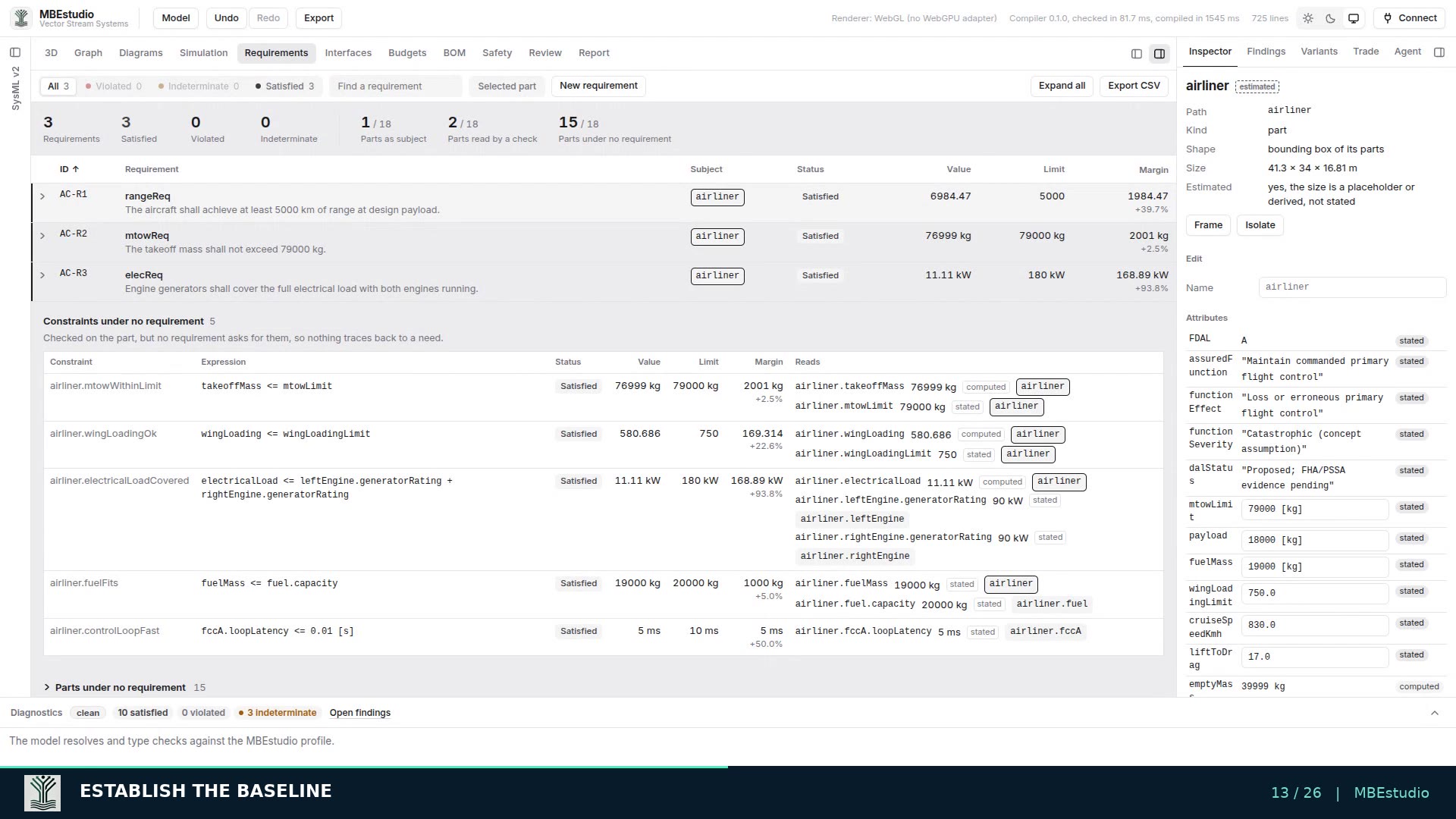
Requirement evaluation
Read the value, the limit and the margin.
Traceability identifies the relationship. An executable requirement evaluates the declared design against its constraint. Inspect satisfied, violated and indeterminate results, and follow the values each check reads.
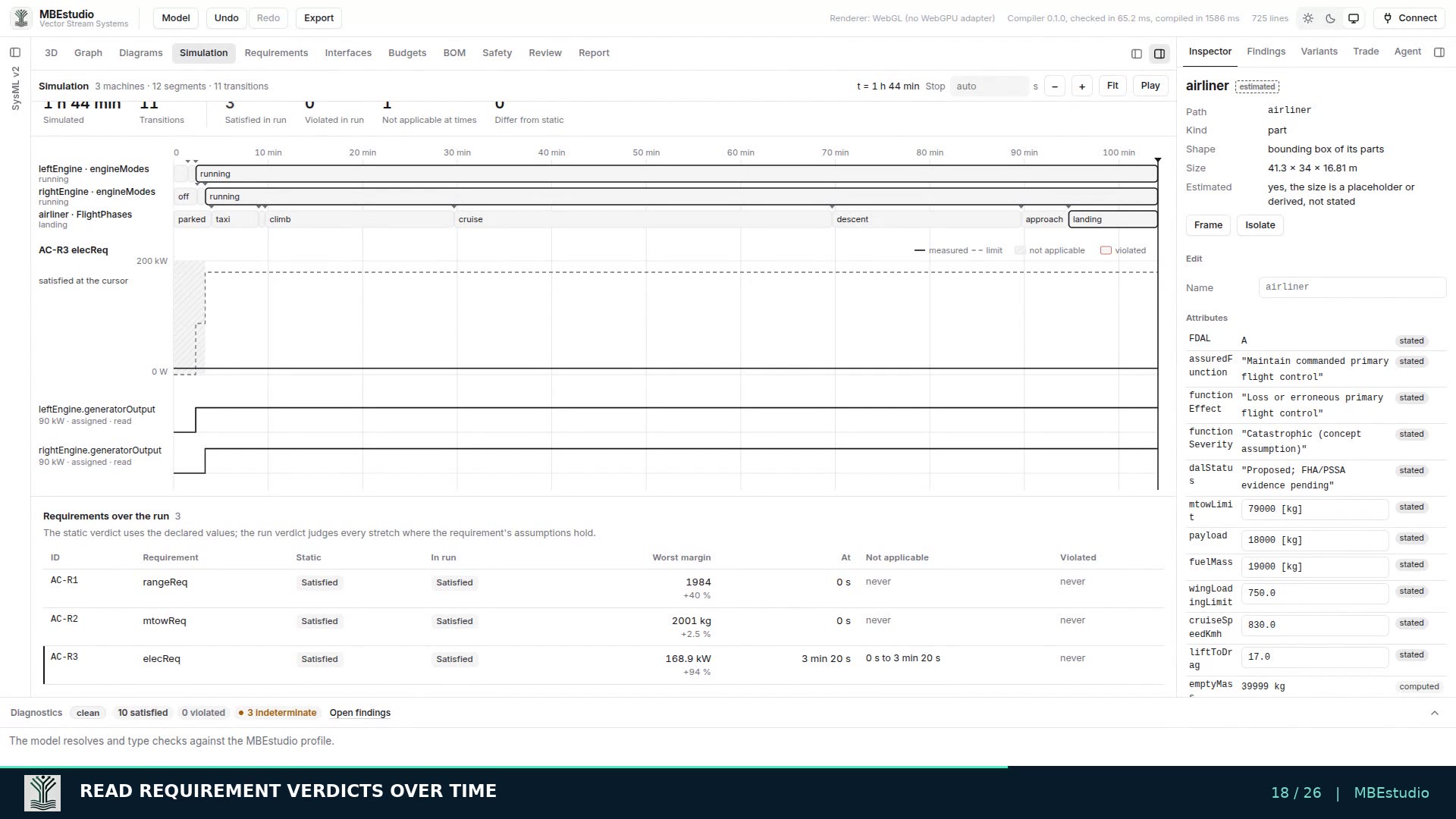
State behavior
Evaluate the requirement through the operating sequence.
The hatchback runs six state machines with 25 transitions. The nominal obstacle response takes 150 ms, torque limitation follows the two-second temperature qualification by 60 ms, and fuel cutoff follows the crash input by 40 ms. These timings are stated model assumptions. The aircraft example below illustrates the same applicability workflow for generator startup.
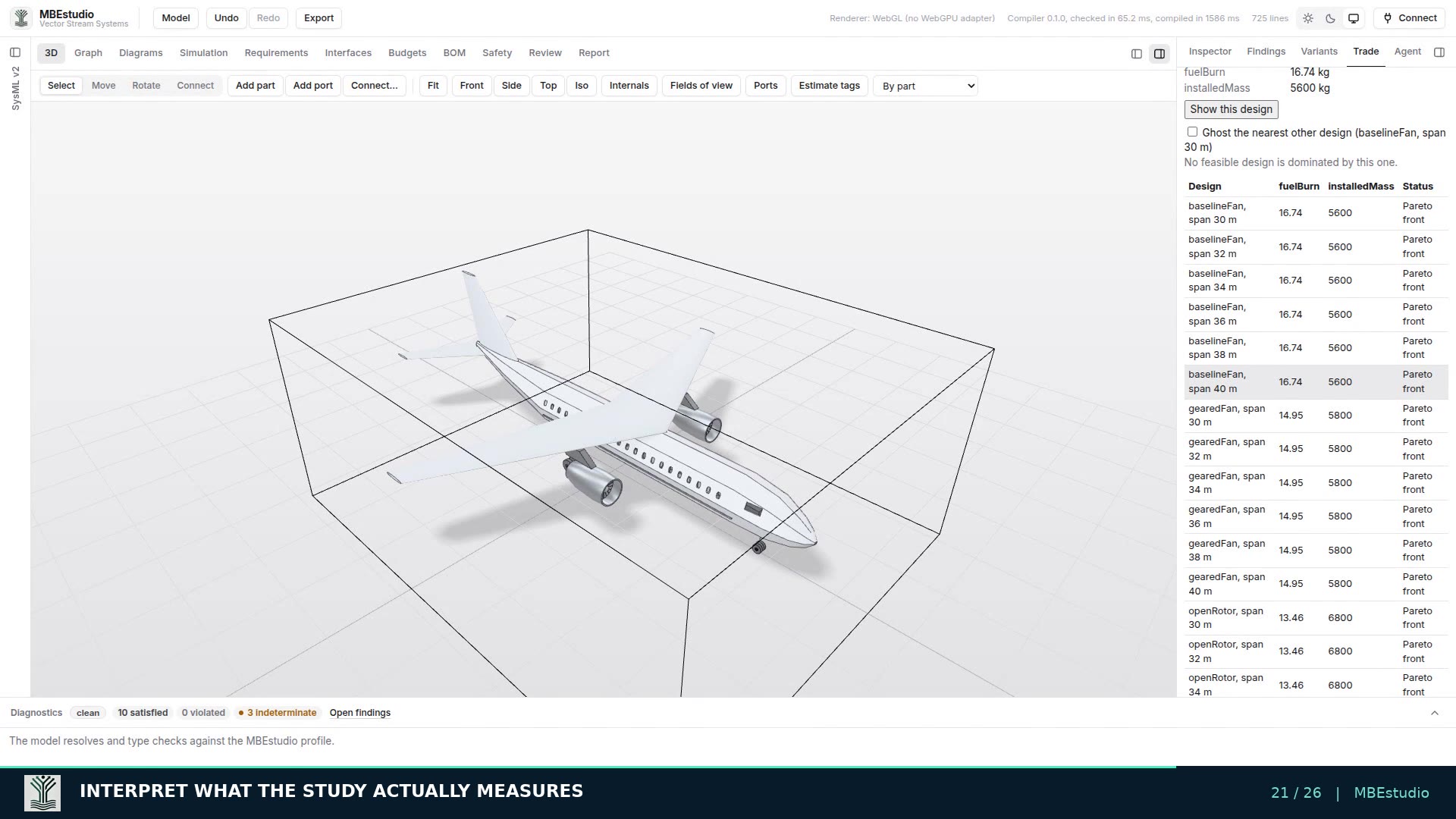
Design alternatives
Compare candidates before committing to a configuration.
The aircraft trade study sweeps engine alternatives and wing span against the declared objectives and constraints. Inspect feasible and infeasible candidates, examine the Pareto front, and show a chosen design in the model.
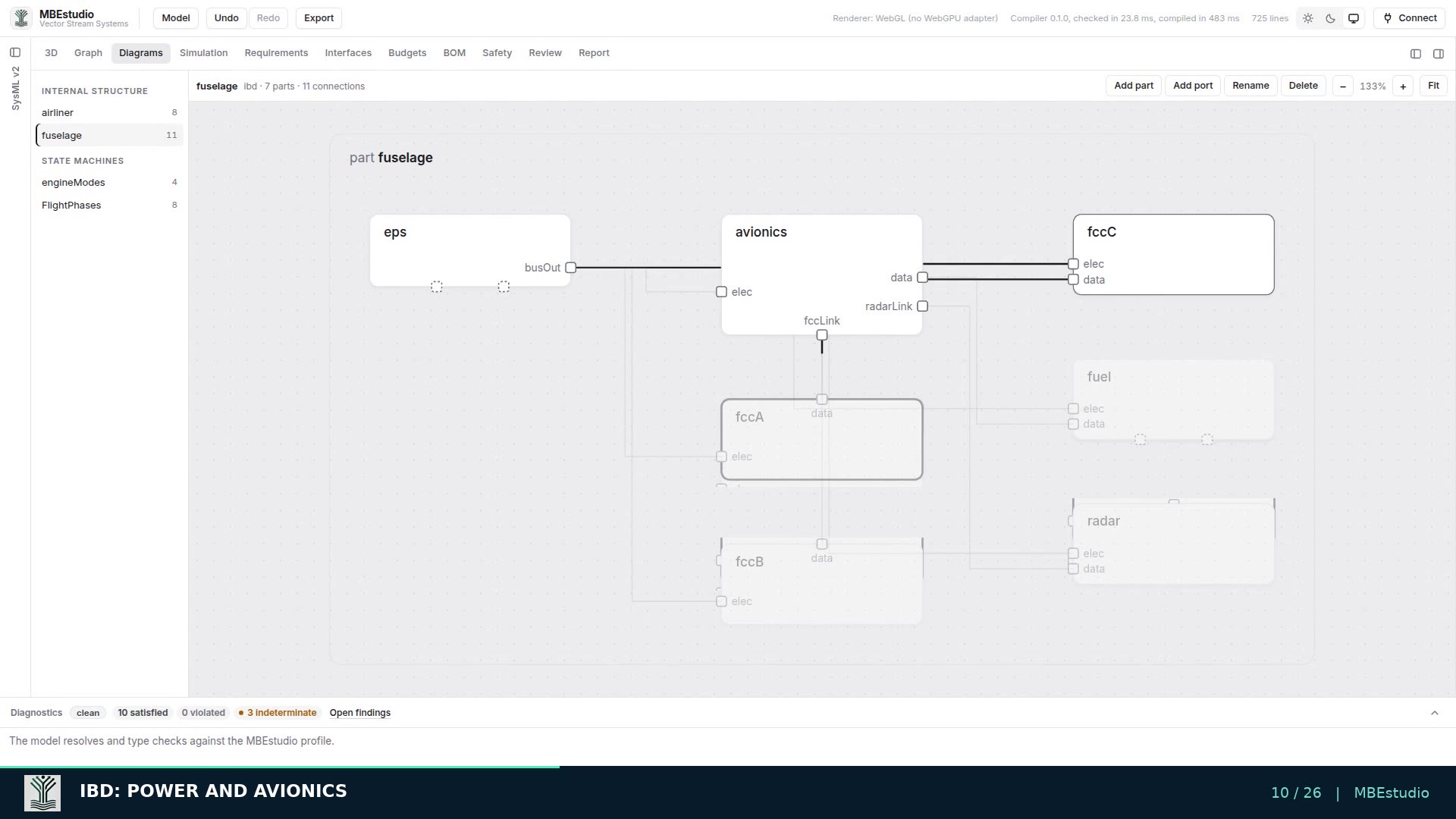
Internal block diagrams
Follow the connections behind the geometry.
Inspect typed ports and connections in the aircraft and fuselage IBDs. The diagrams, 3D assembly and SysML v2 source describe the same system structure.
Sample model sets
Choose a starting system in the Model menu.
- Performance hatchback with ADAS and operating behavior (website default)
- Midsize airliner
- Commuter EV
- L4 robotaxi
- Island dredger
Performance hatchback: geometry, interfaces and behavior
The native automotive sample retains the detailed ICE design and adds seven ADAS sensing fields, 37 typed connections, 13 proposed requirements and six executable state machines.
The live demo links open this model directly in the current SysML v2 Studio.